Create a project
A project is where you organise your pseudonymisation requests. By creating a project, you set parameters for how data is pseudonymised and manage collaboration with other organisations. You must create a project to generate pseudonymisation tokens.
To create a project:
-
Go to Projects.
-
Select New project.
-
Enter the project name and description.
-
If you're part of an organisation, set the following options:
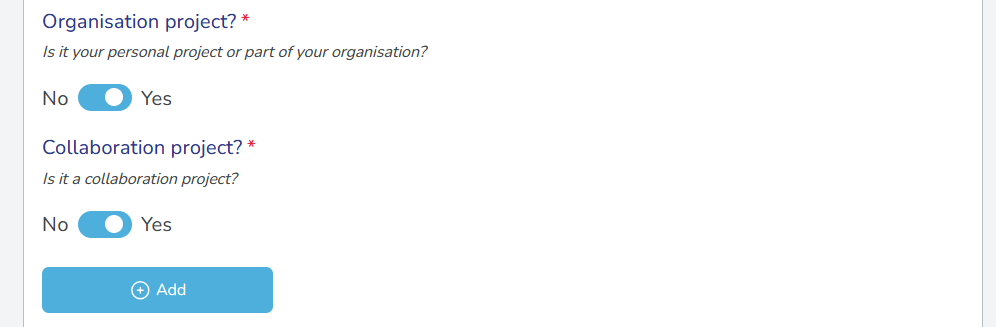
- Organisation project: Organisation members can view and access the project.
- Collaboration project: Enable collaboration with other organisations to share pseudonymised data.
-
If you selected Collaboration project, add at least one collaborating organisation using their organisation key. See Add collaborators.
Individual usersIf you're not part of an organisation, you can only create personal projects. Steps 4-5 will not appear for you. Skip to step 6. You can create as many personal projects as you need.
-
Select the Method:
- Reversible: Allows you to convert pseudonyms back to their original values within your defined retention period.
- Not reversible: Tokens that permanently pseudonymise data without the option for reversal.
When to use reversible tokensCommon use cases for reversible pseudonymisation include data verification, quality checks, and audit processes where you may need to access original values. Learn more about token types.
-
If you selected Reversible, enter the Retention period (years, months, days) that determines how long you can reverse pseudonymised data. After this period expires, the link between pseudonyms and original values is permanently severed.
Plan your projects carefully- Once you create a project, you cannot extend its retention period. If you need longer retention, you must create a new project with a longer period.
- After the retention period expires, you cannot reverse pseudonymised data.
-
Select the Treatment policy:
- Always different: Each time you pseudonymise the same data, it receives a different pseudonym. This helps prevent re-identification through repeated values.
- Always same: The same identifier always receives the same pseudonym. This allows you to link records across datasets using the pseudonymised values.
-
Select the Output format of the pseudonymised data (Alphanumeric, Numeric, Alpha).
-
Select Save to create the project. The project opens in the project view where you can create a request.
another sample project:
name: "COVID-19 Research" description: "A project to pseudonymise patient data for COVID-19 research, enabling secure data sharing and analysis while protecting patient privacy."
anoter org sample:
name: "University Research Institute" description: "A leading research institution focused on advancing scientific knowledge across various disciplines, fostering innovation, and collaborating with global partners to drive impactful research outcomes." contact email: "info@uri.com" dpo contact email: "dpo@uri.com"