Request a new organisation
Enable collaboration and data sharing by requesting an organisation. You can work independently with personal projects or request an organisation for collaborative work.
In this guide
Overview
Submit a request to create an organisation
Join an organisation
Overview
An organisation represents a real-world entity, such as a hospital, research institute, or government agency. Organisations have members, projects, and a unique organisation key for collaboration.
How organisations work:
- You can only be a member of one organisation at a time.
- To switch organisations or to join an existing one, contact an administrator.
- You can also work independently without an organisation by creating personal projects.
Submit a request to create an organisation
Requesting an organisation requires administrator approval. Once approved, your organisation will be created and you'll automatically become a member.
To request an organisation:
-
Go to Organisations and select New organisation.
-
Enter the organisation name, description, and contact email, and DPO contact email.
-
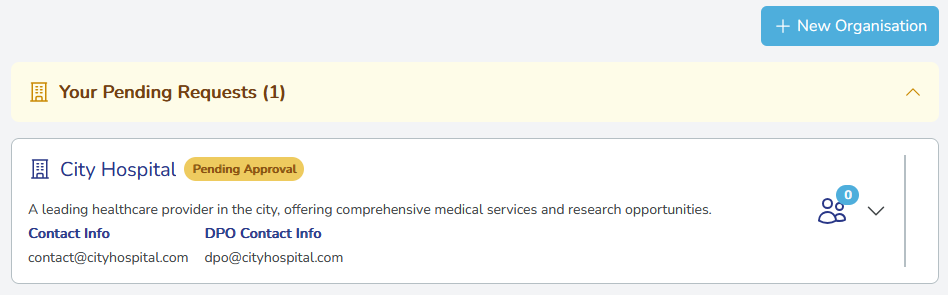
Select Submit for approval. The organisation appears in the list with a "Pending Approval" status until approved by an administrator.
What happens after I submit my request?You automatically become the first member of the organisation and receive a unique organisation key. You can create organisation projects and collaborate with other members.
-
To view your organisation, select Organisations in the main menu. In this example, user
Elly Rosebecomes the first member of the newly createdCity Hospitalorganisation.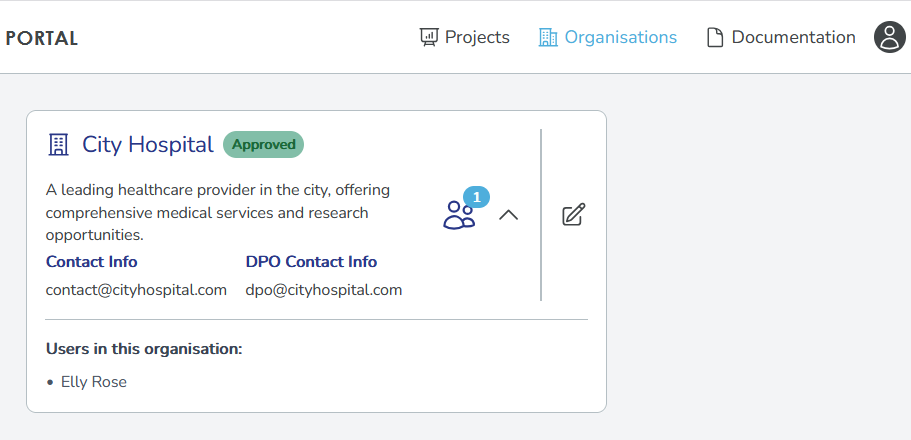
Join an organisation
To join an existing organisation, contact an administrator with your user details and the organisation you want to join. Once you are added, you will see the organisation in your Organisations page and can access its projects and collaborate with other members.