Generate a token
Generate tokens to pseudonymise or reverse data for an approved request. You must have an approved request within a project to generate tokens.
-
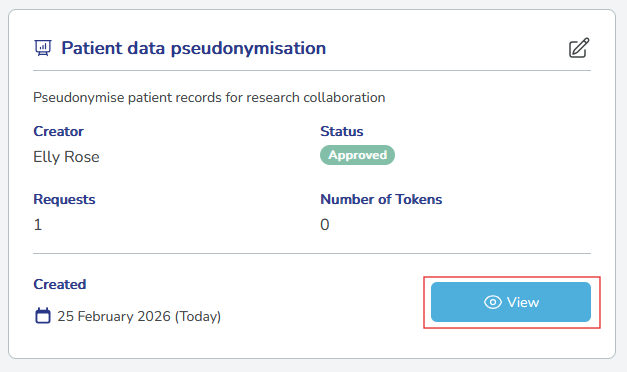
Go to Projects and select View on your project.
-
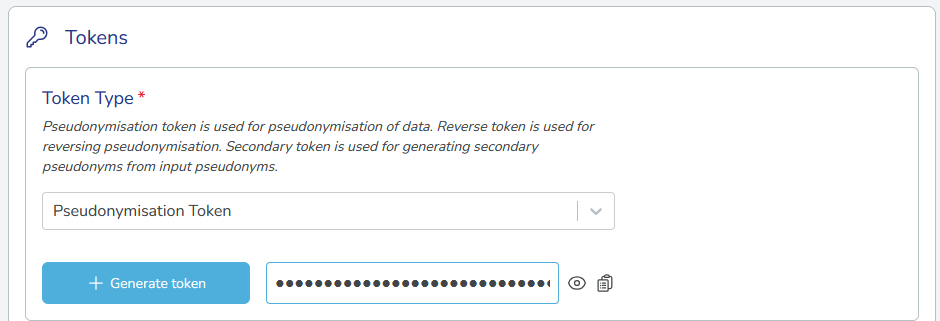
Under Tokens, select the token type:
- Pseudonymisation: Pseudonymise original data.
- Reverse: Restore original data (within retention period).
- Secondary: Re-pseudonymise already pseudonymised data.
-
If generating a Secondary token, two additional fields appear:
- Source project: Select the project where the original pseudonymisation took place.
- Source organisation: Select the organisation that performed the original pseudonymisation on that source project.
-
Select Generate token. The generated token appears next to the button.
-
Copy and store your token securely.
Tokens are shown only once
Once you leave or refresh the page, the token cannot be viewed or retrieved again. Copy it immediately and store it in a secure location.